501(c)(3) Website Requirements: Accessibility & Compliance Standards for Nonprofit Sites
Last Updated on June 25, 2026
- The IRS requires nonprofits to make specific documents available for public inspection.
Read full summary ▾
- Nonprofits must register for charitable solicitation in every state where they ask for donations or sell products.
- Nonprofit websites need to meet website accessibility standards.
- Organizations can lose their tax-exempt status if they use their website for unrelated commercial activity.
- Google Ad Grants provides $10,000 monthly in search credits, but only for sites that meet Google’s website policy.
We break down the five legal standards every 501(c)(3) website needs to follow to stay compliant with state and federal rules, plus some additional highly recommended website practices. We also break down the specific technical steps for securing a Google Ad Grant to help you get free ad credits to fund your mission.
You’ve designed an engaging website that features your mission, highlights your programs, and showcases your work’s impact. But does your nonprofit’s website comply with all necessary regulations?
The Internal Revenue Service (IRS) doesn’t hand nonprofits a website checklist, but that doesn’t mean anything goes. Public disclosure rules do require nonprofits to make specific documents available, and on top of that, there are accessibility laws, state fundraising rules, and other guidelines you’ll need to follow, too.
This guide will walk through how to keep your site compliant and informative for casual visitors and potential donors alike. We’re not lawyers and cannot provide legal advice, but we can provide general marketing guidance! We’re going to look at these specific areas:
- Are 501(c)(3) organizations required to have a website?
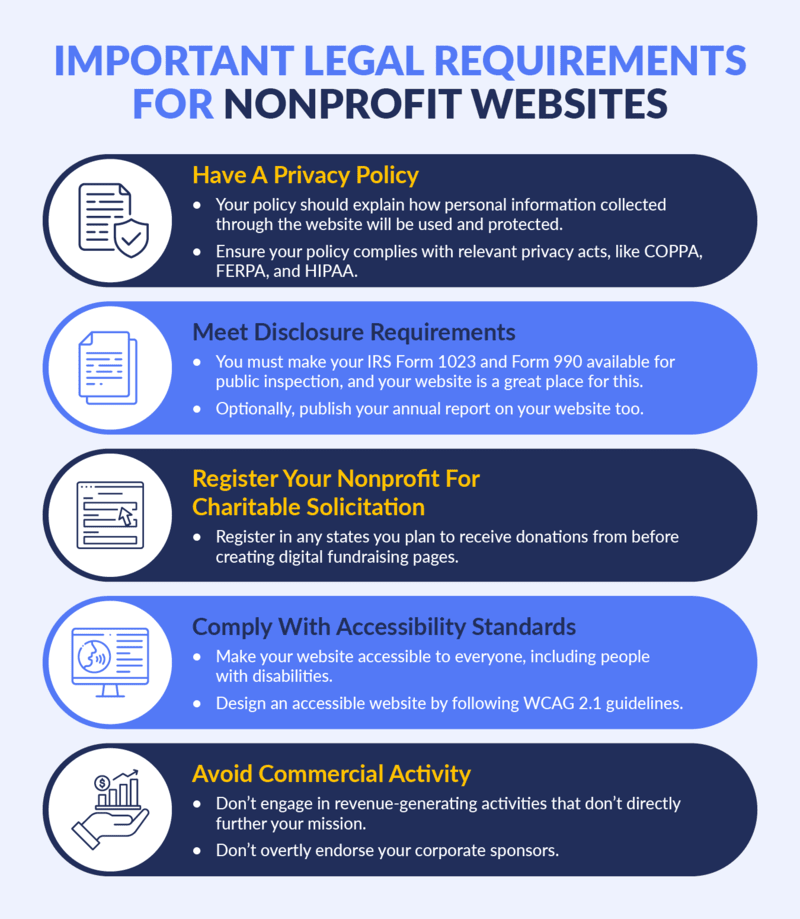
- 5 nonprofit website requirements you need to follow
- Why should your nonprofit comply with these website requirements?
- Going beyond compliance: What high-functioning nonprofit sites do
- What does Google Ad Grants require from your nonprofit’s website?
- How Getting Attention helps nonprofits meet website requirements and maximize their Ad Grant
- Bring your 501(c)(3) website up to par
- Frequently asked questions (FAQs) about nonprofit website requirements
Following these protocols will also bring you up to par with the Google Ad Grant’s standards. This program provides eligible nonprofits with free credits to spend on search marketing, which is a great way to get your optimized site in front of the right eyes at the top of the search results.
Sounds interesting, right? Let’s get right into it!
Are 501(c)(3) organizations required to have a website?
No, 501(c)(3) organizations are not legally required to have a website. However, with most nonprofits operating online today, 91% of nonprofits do have websites and not having one can put you at a serious disadvantage.
The advantages of having a nonprofit website include:
- Visibility and Outreach: If you aren’t online, you effectively don’t exist to anyone searching for your services or mission. A website makes sure you can actually be found.
- Credibility: A professional site shows you’re a modern and active operation, which goes a long way in building trust with skeptical donors.
- Information Sharing: This is your home base for mission details, program impact, and industry news. It’s the easiest way to give supporters the context they need in the most convenient way.
- Fundraising: If you’re registered to solicit contributions, a website turns passive interest into immediate funding through online donation tools.
- Compliance and Transparency: It’s a convenient central hub for public disclosures, making it much easier to stay on the right side of reporting requirements.
While not mandatory, skipping a website means missing out on a bunch of great opportunities. For example, you won’t be able to receive free ads via the Google Ad Grants program (more on this in a bit!).
5 nonprofit website requirements you need to follow
So, what’s the baseline for a nonprofit site? If you’re going to build one (and you should), you need to account for accessibility, data security, and the occasional state-specific curveball. These are the requirements you must comply with:
1. Nonprofit websites must have a privacy policy
If you’re collecting data (and you almost certainly are), you need a privacy policy. A clear privacy policy details how personal information collected through the website will be used and protected. For example, how will you use and manage donors’ personal information when they donate online?
Many federal and state statutes govern data privacy, such as:
Children’s Online Privacy Protection Act (COPPA)
COPPA dictates that website owners have to get parental permission before they start collecting, using, or disclosing data from children under 13. This act protects young internet users by regulating the collection of their personal data.
California Online Privacy Protection Act (CalOPPA)
Any site doing business in California, nonprofits included, must post a clear privacy policy if they collect data from residents there. You have to be transparent about what you’re taking and what you’re doing with it. CalOPPA gives consumers greater control over their personal data.
Family Educational Rights and Privacy Act (FERPA)
FERPA is a federal law that protects the privacy of student education records. Applicable to educational institutions, this law grants parents certain rights over their children’s education records, such as requiring permission before sharing their records.
Health Insurance Portability and Accountability Act (HIPAA)
These are the national standards for guarding sensitive patient health information. HIPAA requires healthcare providers, insurers, and their business associates to implement safeguards to ensure the confidentiality, integrity, and security of protected health information (PHI). If your nonprofit is a counseling center, hospital, or otherwise operates in the healthcare sector, you’re required to follow these guidelines.
If your donor base extends past U.S. borders, you should probably look into global regulations such as the General Data Protection Regulation (GDPR), the Personal Information Protection and Electronic Documents Act (PIPEDA), and the Australia Privacy Act of 1988.
Additionally, if your site uses donation forms, sign-up sheets, or newsletter boxes, a privacy policy isn’t optional. Build a policy that states you own the site, explains your storage methods, and tells users how to opt out.
2. Nonprofit websites must disclose specific documents
The IRS requires nonprofits to make specific documents publicly available:
- Tax-exempt status application (Form 1023)
- Recent annual returns (Form 990)
You can do this by mail, but hosting them on your website is the most efficient way to signal transparency to donors and corporate sponsors. If, for any reason, you don’t want to post these documents on your website, you have to publish a notice about how to obtain them.
3. Nonprofit websites must register for charitable solicitation
When a supporter is inspired by your work, you want them to be able to give immediately via a mobile-optimized donation page.
However, you must be registered to solicit donations before creating a donation page, selling products, or hosting fundraising events. Failure to do so can result in fines and penalties. Foundation Group’s charitable solicitation registration page explains that 40 states require nonprofit registration, so remember to register in every state you solicit donations or sell products in, not just where your nonprofit is located.
4. Nonprofit websites must meet ADA and WCAG accessibility standards
Under Sections 504 and 508 of the Rehabilitation Act, organizations receiving federal funding must make their programs and activities, including their websites, accessible to people with disabilities.
The Web Content Accessibility Guidelines (WCAG) set global standards for accessible web design. WCAG 2.1 is commonly used as a practical benchmark, with a few important principles to keep in mind:
- Text Alternatives: Use alt-text for images and closed captions for videos, so that screen readers can convey the same information to users relying on assistive technology.
- Clear Content: Keep your content easy to digest, visually, audibly, and intellectually. This means making sure there’s enough color contrast so people aren’t squinting at their screens, and letting users pause or mute any audio that decides to play automatically. Stick to plain English where you can, and if you have to use jargon, provide a clear definition.
- Text Spacing: Proper spacing helps everyone, especially readers with dyslexia and other reading difficulties. Some guidelines to follow include:
- Paragraph spacing should be at least 2 times the font size.
- Line height at least 1.5 times the font size.
- Word spacing at least 0.16 times the font size.
- Letter spacing at least 0.12 times the font size.
Morweb’s nonprofit accessibility guide explains that some website builders also offer accessibility widgets that let users change font size manually, adjust colors to grayscale, highlight links, and change the font type to non-serif.
The tool might look like this: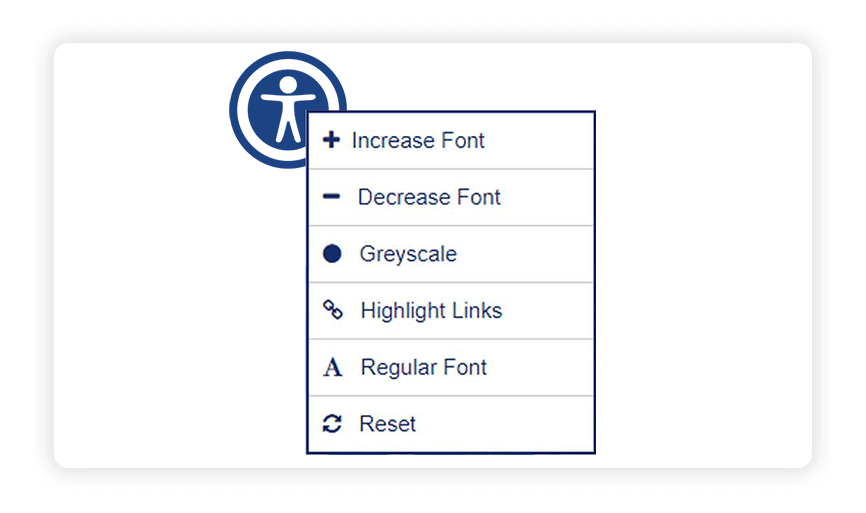
5. Nonprofit sites must avoid unrelated commercial activity
To keep your tax-exempt status, you have to avoid revenue-generating activities that don’t directly further your mission, AKA unrelated business income (UBI). This includes things like selling ad space on your site. If you have corporate sponsors, acknowledge them on a dedicated page, but avoid hard-selling their products or providing direct links to their checkout pages.
Staying lean on commercial activity is also a requirement for the Google Ad Grant. While the Grant lets you promote your own merchandise, you can’t turn your nonprofit site into a billboard for someone else’s business. A quick line letting website users know that all proceeds from any merchandise or program sales go directly to supporting your mission can help clear up any ambiguity.
Why should your nonprofit comply with these website requirements?
It’s easy to treat website compliance like a technical chore that distracts from your actual mission. But since everyone lives online these days, how you set up your website is linked to your nonprofit’s credibility, visibility, growth, and the way your community experiences your mission.
Some of the biggest reasons nonprofits need to stay on top of website compliance and digital upkeep are:
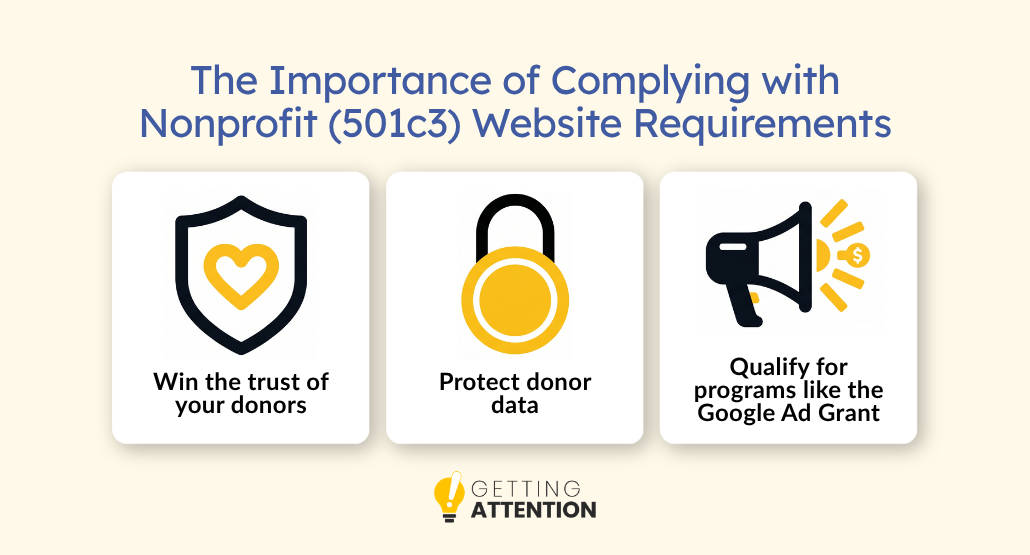
Win the trust of your donors
For nonprofits, trust is the foundation on which every donation, partnership, and relationship is built. If a donor feels like your digital foundation is shaky, they’ll probably take their checkbook to an organization that looks more polished and experienced. A professional, compliant site tells the world you manage your operations with the same level of care you give your community.
Protect donor data
Think of it as basic protection for the people who trust you with their money. Donors share sensitive information with your organization, and a neglected site puts that data (and that trust) at risk. A breach or compliance gap doesn’t just cost you financially, but it can also cost you the relationships your nonprofit runs on.
Qualify for programs like the Google Ad Grant
The best opportunities in the sector usually come with a few website baseline requirements for entry. Take the Google Ad Grant: it offers eligible nonprofits a monthly $10,000 credit for search advertising, but to be approved, you need a secure, high-quality, mission-focused site. In other words, the compliance work you’re already doing is your ticket in.
Going beyond compliance: What high-functioning nonprofit sites do
Strictly legal requirements aside, these benchmarks are the hallmarks of a high-functioning nonprofit, and they offer clarity for your users and a necessary layer of protection for leadership:
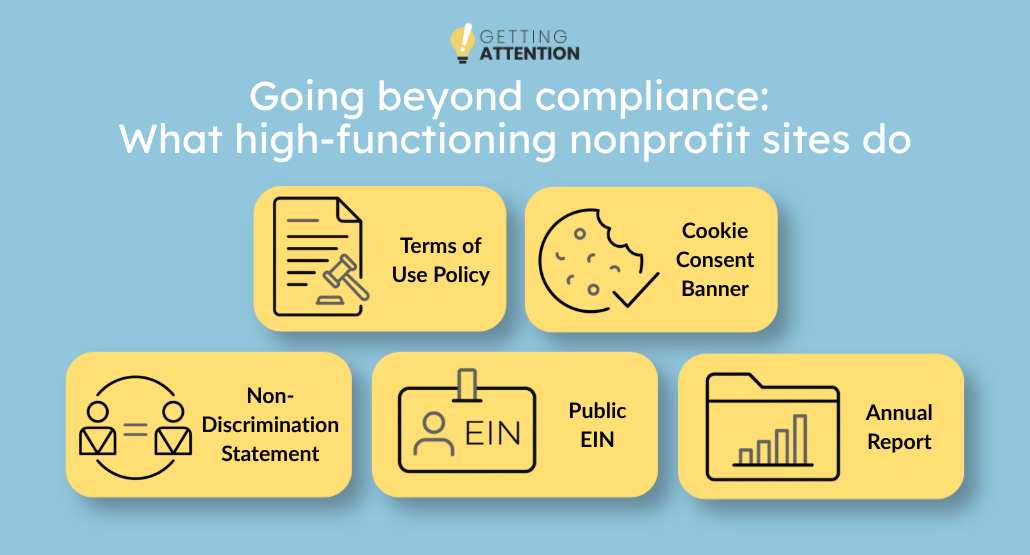
- Terms of Use Policy: Sets the ground rules for your digital space, covering intellectual property, acceptable use, and what happens if someone misuses your content. It’s your first line of defense if a dispute ever arises over how your site is used.
- Cookie Consent Banner: Most nonprofit websites use analytics tools, embedded videos, or social media plugins that set cookies. Even where it isn’t legally required, a cookie consent banner signals respect for your visitors’ data and is quickly becoming an audience expectation.
- Non-discrimination Statement: Demonstrates your organization’s commitment to serving everyone equitably, and it’s often a prerequisite for government grants and foundation funding.
- Public EIN: Placing your tax ID in the footer costs nothing and does a lot. It makes it easier for donors to verify your legitimacy, simplifies the process for workplace giving programs, and is a standard transparency signal.
- Annual Report: Pairs your financial data with your mission’s impact in a format donors, funders, and partners actually want to read. It’s the nonprofit sector’s best tool for storytelling and accountability. Plus, posting it on your site shows you have nothing to hide!
What does Google Ad Grants require from your nonprofit’s website?
Once your site meets these standards (both required and recommended), the next question is how to get people to it. For eligible nonprofits, the Google Ad Grant is the best place to start. It provides $10,000 per month in search advertising credit, letting you bid on the keywords your donors and beneficiaries are searching for.
But Google has a strict website policy that your site has to pass before you’re approved (and stay compliant with afterward). Make sure you meet these requirements if you’re planning to apply for the Grant:
You need to own your domain
Google requires that your nonprofit have full administrative control over the domain your ads point to. This means a web builder subdomain you don’t own (like yourname.wixsite.com) isn’t allowed, but using a builder like Wix or Squarespace with your own custom domain (e.g., yournonprofit.org) is perfectly fine.
Your site also needs to run on HTTPS. If there’s a “Not Secure” warning in the browser, your application won’t get approved.
Your content needs to be substantial and mission-focused
Google wants to see a real website, not a one-pager with a donate button. In practice, that means at least five pages of original content that clearly explain your mission, programs, and impact.
Your site also can’t run Google AdSense ads or be primarily built around affiliate links, and commercial activity (like a merch store) is only acceptable if it’s clearly secondary to your mission. A note about how proceeds support your mission can help clear up any ambiguity.
Your site must load quickly and be mobile-compatible
Google requires that your site loads quickly and works on phones, stating that pages should “load quickly for users on various devices and connection speeds.” A useful self-check is running your site through Google’s PageSpeed Insights tool. Scores below 50 tend to cause problems in practice. But the good news is that fixing these issues for Google usually makes your site better for everyone visiting it and may boost your SEO presence as well.
How Getting Attention helps nonprofits meet website requirements and maximize their Ad Grant
We don’t just manage your Ad Grant. We build the content that makes it work!
A lot of agencies will set up your ads and walk away. But an ad is only as good as the page it sends people to. If your website is confusing or non-compliant, you’re essentially pouring Google’s $10,000 credit into a leaky bucket. We consider the whole picture, making sure your landing pages are optimized for conversions while maintaining strict adherence to Google’s policies.
We analyze your site’s structure, suggest content and technical improvements, and create pages optimized for search engines like Google and AI tools, all while keeping the Grant regulators happy. We’ll look under the hood and give you a clear roadmap to a high-performing website with our content creation service!
Bring your 501(c)(3) website up to par
Making sure your website meets 501(c)(3) requirements helps you build the kind of trust that encourages someone to support your organization long term. Your website is often the first interaction people have with your nonprofit, so it should reflect the same transparency and credibility as the work happening behind the scenes.
To continue improving your nonprofit’s digital presence, these resources are worth exploring:
- Demystifying the Google Ad Grants Website Policy: A Guide. The Google Ad Grant is a massive lever for growth, but it comes with its own set of technical expectations. Use this guide to make sure your 501(c)(3) site actually clears the bar for the program.
- Powerful Nonprofit Advertising Examples To Inspire Your Ads. A collection of nonprofit advertising examples that show how organizations are using digital campaigns to attract donors, increase awareness, and drive meaningful engagement.
Nonprofit Website Design Made Easy: A Digital Guide. This guide strips away the technical jargon and shows you how to build a site that actually works, from picking the right website builder and branding your look to creating donation pages that make it easy for supporters to say “yes.”
Frequently asked questions (FAQs) about nonprofit website requirements
What should a nonprofit website include?
At a minimum, your site should feature a clear mission statement, your EIN, a privacy policy, contact information, and your most recent financial disclosures (Form 990). Beyond that, you should include “About Us” pages for your board and staff, impact stories, and a secure way for donors to contribute.
What are the IRS requirements for a nonprofit website?
The IRS does not explicitly mandate that you have a website. However, they do require that your tax-exempt application (Form 1023) and your last three years of 990s be made available for public inspection. Hosting these on your website is the standard way to meet this requirement without having to fulfill manual document requests.
What is the purpose of a nonprofit website?
The purpose is three-fold: legitimacy, mobilization, and transparency. It proves you exist and are a legal entity (legitimacy), it gives supporters a way to donate or volunteer (mobilization), and it shows how you use your funds (transparency).
Do nonprofits get free websites?
While “free” is a strong word, many platforms offer significant discounts! Squarespace and Wix have nonprofit pricing, and Canva offers free premium accounts to nonprofits for design help. However, keep in mind that you still need to pay for your domain and ensure the site meets the professional standards required for the Google Ad Grant.
What are the Google Ad Grant website requirements for nonprofits?
Google requires that you own your domain, have an SSL certificate (HTTPS), provide high-quality content that is “substantial” and mission-aligned, and have no commercial ads or unrelated business activity on the site. The site must also load quickly and be easy to navigate on mobile devices. Full details are in Google’s Website Policy.