The ultimate Meta Ads guide for nonprofit organizations
Last Updated on August 4, 2026
Is your nonprofit’s digital outreach actually reaching the people who’d want to support you, or is it getting buried by the algorithm? In 2025, Meta’s family of apps reached nearly 4 billion people worldwide every month, indicating the audience is there. And a good chunk of these people may be your next advocates—they just don’t know it yet.
Organic content still matters, but running Meta Ads helps you expand your donor and volunteer outreach by putting your cause in front of casual scrollers. In this guide, we’ll walk you through that process from a nonprofit’s point of view: how to set up your account correctly, structure campaigns that maximize budget, target the right people, and get more out of every dollar you spend on creative.
- What are Meta Ads, and why are they a powerful addition to your ad mix?
- 5 types of Meta Ads your nonprofit should know about
- How to set up your Meta Ads account
- How to structure your Meta Ads campaign for maximum impact
- How to target the right audience for your nonprofit
- How to optimize your ad creatives and budget
- Top challenges that nonprofits face with Meta Ads
- Amplify your impact with Meta Ads for nonprofits
- Meta Ads: Frequently asked questions
What are Meta Ads, and why are they a powerful addition to your ad mix?
Meta Ads are paid promotional campaigns that you can run across Meta’s family of apps, most notably Facebook and Instagram. These ads usually appear on the Feed, Stories, Reels, Audience Network, Messenger, and Threads, and they can help you target audiences based on specific criteria, such as demographics, interests, and your own unique CRM segments.
There are various reasons why Meta ads are a strong player in the digital space for nonprofits:
- A massive user base: Meta platforms have a pool of nearly 4 billion users worldwide, giving nonprofits access to the largest online audiences.
- Powered by an advanced algorithm: These ads put your message directly in front of potential supporters based on their specific interests and behaviors—reaching people who might not be actively searching for your cause yet.
- Higher click-through rates: Paid social comes with a built-in advantage for lead generation. In 2025, Meta’s lead generation campaigns averaged a 2.53% click-through rate, well above the 1.57% average for standard traffic campaigns. This gap shows that people are genuinely willing to fill out a form without ever leaving the app, as long as it’s built well.
With organic reach on social media becoming harder to count on year over year, dedicating a budget to Meta Ads is essential for nonprofits to reliably put their mission in front of the right people rather than leaving it up to the feed algorithm. However, none of this works in isolation. Meta Ads should sit inside a broader nonprofit marketing strategy that also includes Google Ads and great website content. When you sync your CRM with Meta, you can automatically exclude current recurring donors from acquisition campaigns, so you’re not spending ad dollars trying to convert someone who already gives every month. This keeps your budget focused squarely on acquiring new donors, saving you money in the long run.
5 types of Meta Ads your nonprofit should know about
Meta has a variety of ad types to help your content land with the right audience at the right time. Each type serves a different job in the donor and volunteer journey, so it’s worth knowing what each one is actually built for before you start designing.
Here are five types of Meta Ads to consider:
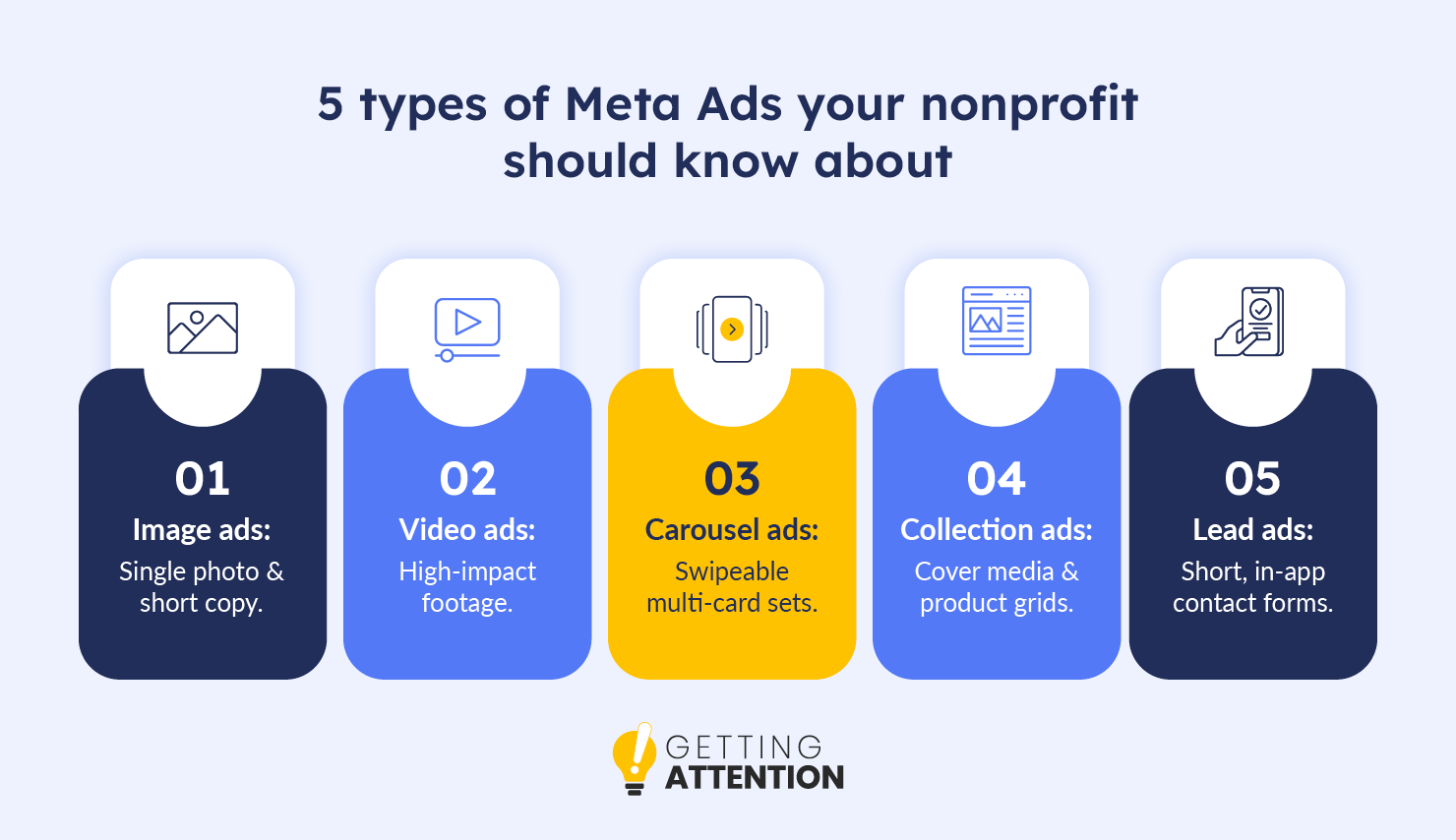
- Image ads: A single photo paired with short copy, which is best for urgent appeals, simple announcements, or event registrations where you need instant clarity. Use real images with real human emotion in them; that’s what stops the scroll.
- Video ads: A single video in the Feed, Stories, or Reels, which is ideal for explaining your mission, interviewing the people you serve, or showing donor impact in action. Put your strongest footage in the first three seconds.
- Carousel ads: A swipeable set of up to 10 images or videos in one ad, which is useful for showing multiple programs, volunteer opportunities, or a sequential story. Treat the first card as the hook that gets people to swipe.
- Collection ads: A cover image or video with a product grid underneath, which is well-suited to organizations selling merchandise, gala tickets, or auction items. Keep your catalog synced with your website so pricing and availability stay accurate.
- Lead ads: In-app forms that capture contact information without sending users to an external page, which are good for newsletter signups, petitions, or volunteer interest. Keep the form to three fields or fewer; every extra field costs you completions.
Instead of trying to master every format at once, we encourage nonprofits to start small. Choose just one ad format that best fits your current campaign goals to get your bearings. Once you’re comfortable with how it performs, slowly start testing the others. Since each format has its own unique advantages, gradually expanding your rotation will allow you to leverage its individual strengths and find out what resonates best with your audience.
How to set up your Meta Ads account
Getting the account infrastructure right the first time prevents tracking errors down the line and keeps donation and volunteer attribution accurate. That means setting up a verified Business Manager, installing the tracking Pixel on your site, and configuring the Conversions API (CAPI) to securely capture supporter actions.
To set up your Meta Ads account, follow these steps:
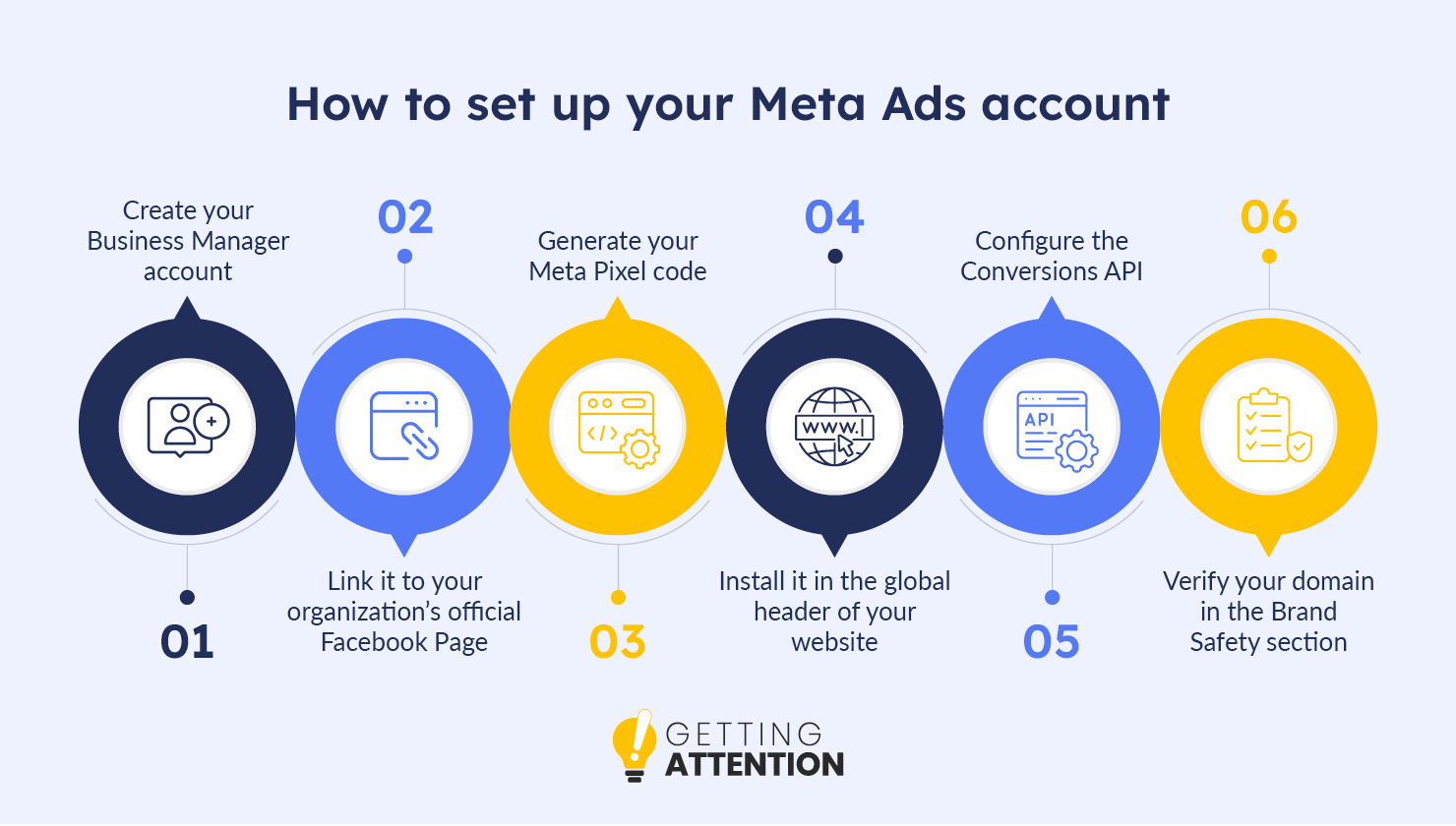
- Create your Business Manager account.
- How to do it: Go to business.facebook.com and log in with your normal Facebook credentials to create an account for your organization.
- Why it matters: The Business Manager acts as a virtual office for your nonprofit. It’s as a central hub where you can safely manage your Facebook Page, Instagram account, and ad campaigns while keeping them completely separate from your personal Facebook profile.
- Link it to your organization’s official Facebook Page.
- How to do it: Inside your new Business Manager, navigate to the “Accounts” menu, select “Pages,” and click “Add” to connect your nonprofit’s existing Facebook page.
- Why it matters: This gives your Business Manager the official permission it needs to run ads on behalf of your organization.
- Generate your Meta Pixel code.
- How to do it: In Business Manager, go to “Events Manager,” click “Connect Data Sources,” and select “Web.”
- Why it matters: The Meta Pixel helps bridge the flow of data between your Meta ads and your website. When someone clicks your Meta ad and lands on your website to donate or volunteer, the Pixel sends a message back to Facebook saying, “Hey, that ad worked!” This helps you track exactly how many donations your ads are bringing in and improve your targeting going forward.
- Install the Pixel in the global header of your website.
- How to do it: Copy the code provided in the previous step and paste it into the backend of your website. Most modern website builders (like WordPress, Wix, or Squarespace) have simple “Integrations” or “Header Code” settings where you can easily paste this snippet.
- Configure the Conversions API (CAPI) to set up a secure, server-to-server data connection.
- What it is and why it matters: Browser updates and varying privacy settings can sometimes prevent the standard Meta Pixel from capturing data accurately. The Conversions API solves this by creating a direct, secure connection between your server and Meta’s server, ensuring your donation data is reliably measured even when browser-based tracking fluctuates.
- Verify your domain in the Brand Safety section to authorize your custom tracking events.
- How to do it: In Business Manager settings, go to “Brand Safety,” select “Domains,” and add your website’s URL. Facebook will give you a small code to add to your website to prove you own it.
- Why it matters: Verifying your domain proves to Meta that your nonprofit is the legitimate owner of the website. This prevents bad actors from misusing your website link and unlocks full tracking and security features for your ads.
Tips and tricks for managing Meta Ads
Once you have your account up and running, keep in mind these tips and tricks to help manage your Meta Ads more easily:
- Keep business and personal accounts separate. Manage everything through Meta Business Suite and Ads Manager, not personal profiles. Mixing the two creates a real security risk, so assign roles using official organizational email addresses only.
- Understand what you’re tracking. The Pixel relies on the browser, which can be inconsistent. CAPI tracks actions server-side, providing a resilient data stream that keeps your measurement accurate when browser-based tracking drops off, all while continuing to respect user consent preferences.
- Keep your website backend fast. Reliable tracking depends on a technically sound website. Faster server response times give your tracking scripts more room to fire before a visitor moves on, which keeps your conversion data accurate. To optimize your website, be sure to regularly check its technical SEO foundation.
Security is one more piece worth locking down early, since it protects everything else you build. Require two-factor authentication for every employee or agency partner with access to your Business Manager, so your supporter data stays well protected from day one.
How to structure your Meta Ads campaign for maximum impact
Meta Ads run on a three-level structure, and getting it right lets the algorithm spend your budget efficiently rather than guessing. Each level has one job:
- Campaign: Sets the overall goal, like generating leads or driving donations. Pick one clear objective that aligns directly with the end result you want to achieve. For example, do you want this particular campaign to capture donors or volunteers?
- Ad set: Controls the logistics, including who sees your ad, where it appears, and how much you spend. Define your audience (age, location, interests), set your daily or lifetime budget, and choose your placements (e.g., Facebook Feeds vs. Instagram Reels).
- Ad: Houses the actual creative—the images, videos, headlines, and text your audience interacts with on their screens. Upload eye-cataching visuals, write clear copy, and add a direct Call-to-Action button like “Donate Now” or “Learn More.”
Structure isn’t just about the ad platform, either. How your landing pages are built matters just as much, since the page needs to match the visual branding and promise made in the ad itself. When those two line up, bounce rates drop and trust goes up.

How to target the right audiences for your nonprofit
Reaching the right donors comes down to strategic segmentation. Most nonprofits get the best results by testing broad algorithmic targeting against custom audiences built from past supporters, as well as lookalike audiences modeled on their most engaged volunteers.
Audience targeting also has a use beyond the ad itself. Strong engagement with social ads can bolster other funding sources, such as grants, since corporate sponsors often prioritize community engagement when approving proposals. High ad engagement gives you something concrete to point to.
Defining your audience means going beyond Meta’s default settings and filtering for the traits that actually matter to your cause:
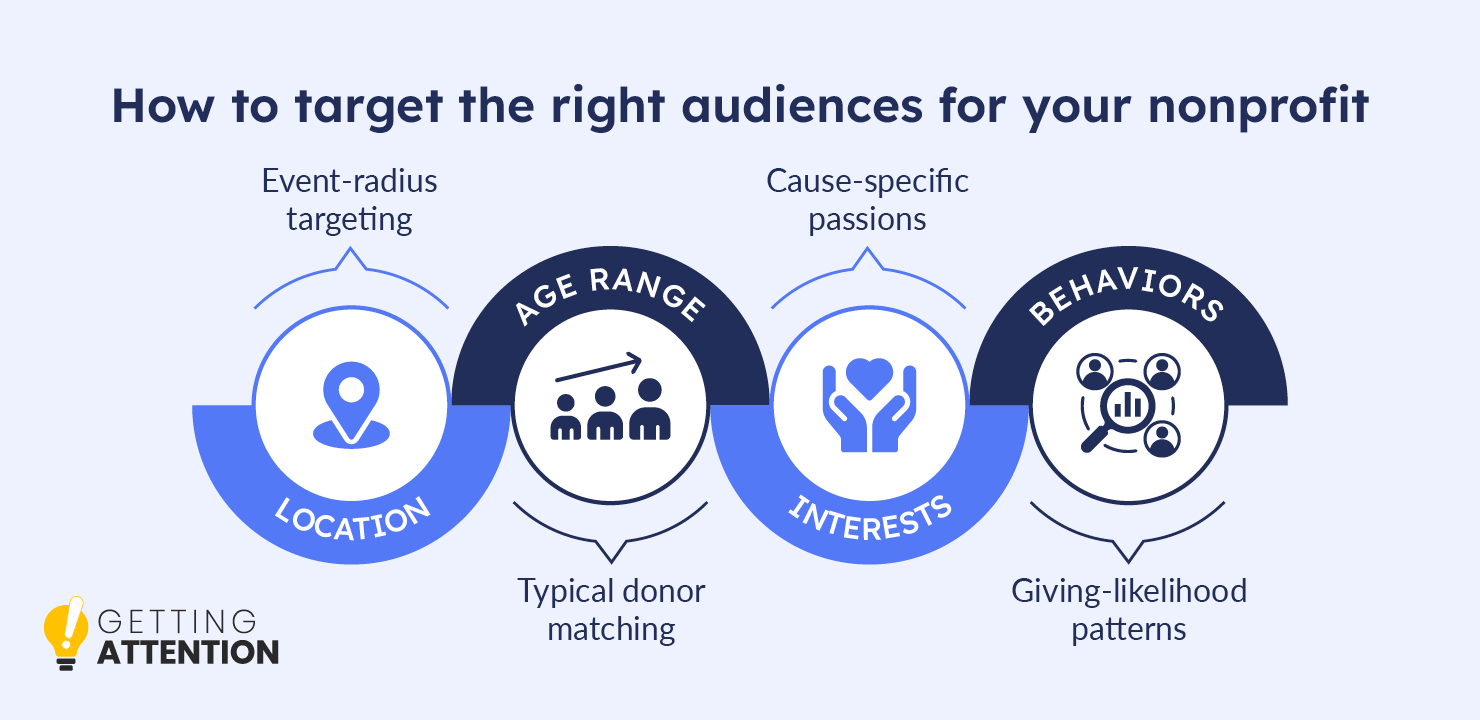
- Location: For example, a 25-mile radius around an upcoming event
- Age range: Matched to your typical donor or volunteer profile
- Interests: This can include “charitable giving,” “volunteering,” or cause-specific interests such as “animal welfare”
- Behaviors: Monitor patterns that signal a likelihood to give or get involved
Custom audiences are for re-engaging people who already know you. Upload your email list securely into Meta Ads Manager (under the Audiences tool by selecting Create Custom Audience > Customer List). Meta automatically matches those encrypted records to active Facebook and Instagram profiles, enabling targeted campaigns that ask lapsed or occasional donors to become recurring donors.
That said, it’s worth balancing interest-based targeting with your first-party data (the information you collect directly from your supporters, like email lists and donor records). This is especially important as privacy standards continue to evolve. Run lead ads that trade something valuable, such as an advocacy toolkit, an issue fact sheet, or an event invite, for a supporter’s contact information, so your targeting becomes stronger and more direct over time.
How to optimize your ad creatives and budget
Good targeting only gets you halfway there. What actually determines whether a campaign performs is the creative behind it and how patiently you let the budget run.
- Put your budget into creative before targeting. Between 70% and 80% of Meta ad performance now comes down to creative quality rather than targeting or budget. If you have to choose where to spend limited time or money, spend it on better copywriting and design first.
- Use video specifically for conversion campaigns, not just awareness. Video-driven conversion campaigns show conversion rates 71% higher than standard traffic campaigns. Add captions to every video, since most viewers watch with the sound off.
- Build a creative library before your next launch, not during it. Keep high-resolution logos, brand guidelines, and real-impact photography organized in a single shared folder, so no one has to scramble to find assets when a campaign needs to go live fast.
- Match your landing page to the promise in your ad. The content on your website has to deliver on exactly what the ad said, or visitors bounce before they learn anything about your mission. Check that the page someone lands on mirrors the ad’s message and visuals before you launch.
Resist the urge to tweak your budget every day based on short-term swings. The algorithm needs three to four days to stabilize after any change, so give it room to learn before you touch it again.
Top challenges that nonprofits face with Meta Ads
Running ads in-house is doable, but a few common friction points come up often enough for most small teams that it’s worth planning around them in advance. These common friction points include:
- DIY burnout: Nonprofit staff already wear multiple hats, and daily ad monitoring adds one more. Outsourcing the day-to-day monitoring to a dedicated partner, while keeping strategic decisions in-house, takes that weight off your team without giving up control.
- The learning curve: Media buying changes constantly, and staying current takes real time. Bringing in specialists who already hold the relevant certifications and platform relationships closes that gap faster than training them internally.
- Manual reporting: Pulling performance data into spreadsheets by hand eats hours that could go toward strategy. Automated dashboards and AI-optimized tools backed by the right technology stack turn that into something you can check in minutes.
- Proving ROI to the board: Ad platform metrics like clicks and impressions don’t mean much to a board focused on dollars raised or volunteers signed up. Translate ad performance into the outcomes your leadership actually cares about before you present it, not after someone asks.
- Keeping up with platform and privacy changes: Meta updates its targeting options, ad policies, and privacy requirements regularly, so a strategy from a year ago is usually due for a refresh. Build in a regular check-in, even quarterly, to keep your account aligned with current best practices.
A struggling campaign is usually telling you something useful. Instead of treating slow performance as a dead end, treat it as a signal worth investigating. Often, it points to a messaging tweak or audience shift that gets things back on track.
Amplify your impact with Meta Ads for nonprofits
Getting Attention now offers dedicated Meta Ads management for nonprofits, built to complement our existing work in Google Ad Grants and website optimization. The goal is the same as everything else we do: help your organization reach the people most likely to support it.
When you work with us, you can expect the following procedure:
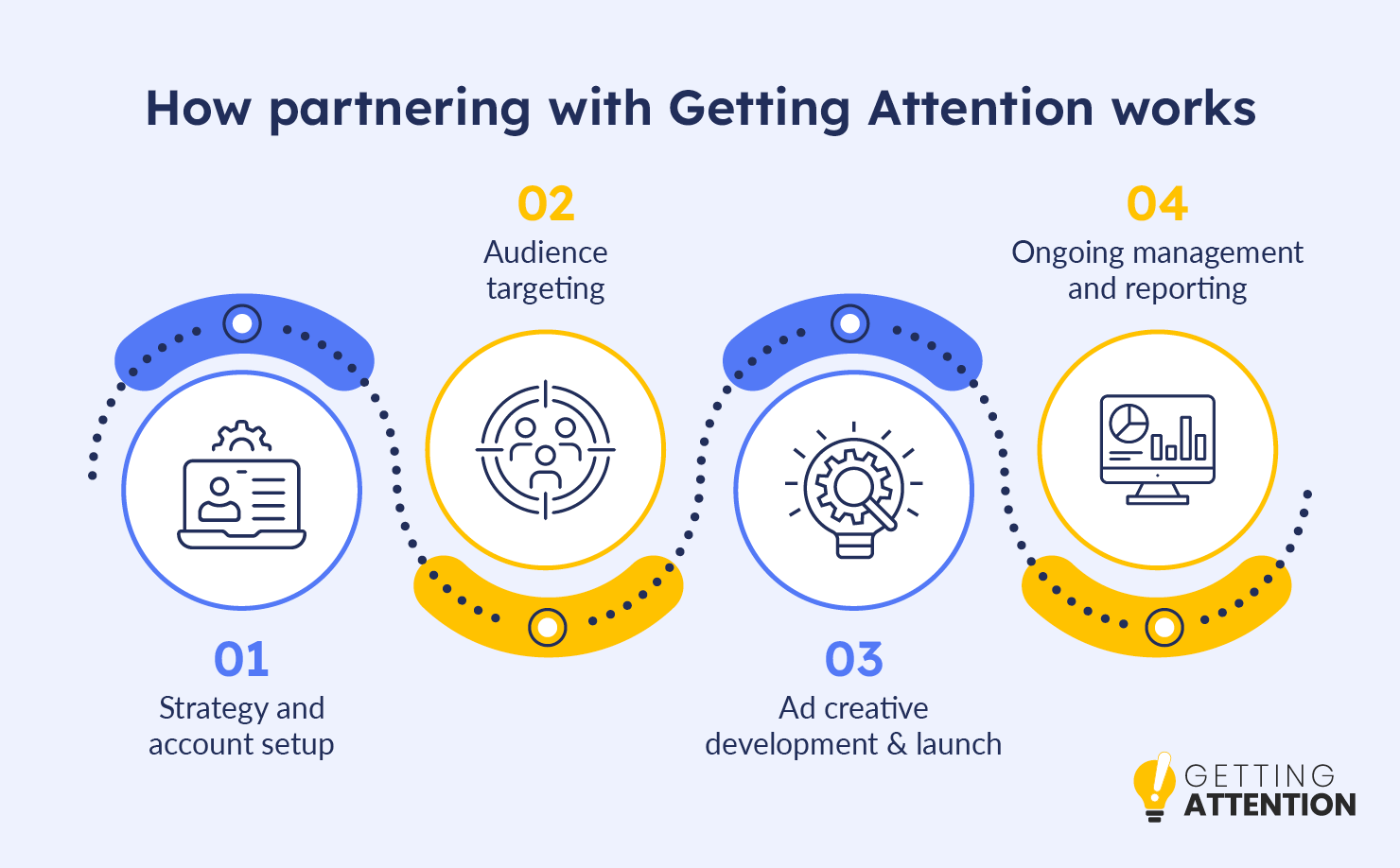
- Strategy and Account Setup: Every engagement starts with understanding your goals—whether that’s driving more donations, recruiting volunteers, or boosting event registrations. We build a customized roadmap for you, and if you are already running paid ads, we run a full audit to see what’s working and what needs improvement.
- Audience Targeting: We ensure the right message reaches the exact right people. Instead of wasting budget, we precisely target your real supporters, recent site visitors, and lookalike audiences who resemble your existing donors.
- Ad Creative Development & Launch: We write your ad copy and build the visuals, delivering a set of up to four ready-to-run ad variations each month. Before a single ad goes live, we also set up proper tracking (like the Meta Pixel) so every dollar is tied to a tangible result.
- Ongoing Management and Reporting: We watch the dashboard so you don’t have to. We monitor campaigns daily and optimize them weekly by testing new ads and reallocating budget to top performers. You’ll also receive board-ready, jargon-free monthly reports and a monthly review call to see exactly what your spend produced.
If your team wants expert support putting this process into action, our Meta Ads management services are built specifically for nonprofits looking for their next great supporter. Building a sustainable digital presence takes more than knowing how the algorithm works; it takes a partner who actually understands your mission. Choose that partner carefully.
Meta Ads: Frequently asked questions
What is the difference between Meta Ads Manager and Meta Business Suite?
Meta Business Suite is your command center for organic posts, content scheduling, and direct messages. Ads Manager is a separate, more granular tool used specifically for building, funding, and analyzing paid campaigns. Most nonprofits will use both regularly.
How do nonprofits install the Meta Pixel?
Installing the Pixel means adding an HTML snippet to your website’s global header. Most modern CMS platforms have plugins that handle this without needing a developer. Once it’s live, verify the installation right away to confirm it’s firing correctly.
Why are my nonprofit’s Meta ads not converting?
Low conversion rates usually indicate a mismatch between what your ad promises and what the landing page actually delivers. When the two line up clearly, visitors are far more likely to stick around, so start by checking your messaging alignment.
Can nonprofits use Meta Ads to find volunteers?
Yes, Meta’s targeting is well-suited to localized volunteer recruitment. You can reach people within a specific geographic radius who follow community service or cause-related pages, then use a simple lead ad to collect applications.
What kind of ads are most successful on Facebook?
It can range from authentic, unpolished video to highly produced, corporate-style graphics. Supporters respond to seeing real impact from real people, so keep your video content genuine rather than overly staged.
What is the average cost of Meta Ads, and how can we keep our costs low?
To keep your costs as low as possible, it is important to carefully structure your campaigns. Grouping similar audiences together helps your ad sets work collaboratively rather than competing against each other for the same people.
Turn casual scrollers into passionate supporters with Meta Ads
You now have a full blueprint for running Meta Ads that move the needle for your nonprofit—from account setup and campaign structure to targeting, creative, and the challenges most teams hit along the way. The next step is simple: set up your account and launch a small test campaign to see what resonates with your audience.
One habit worth building in from day one is refreshing your creative assets every four to six weeks. Ad fatigue is real, and swapping in new images or videos before performance drops protects your return on ad spend over time.
In the meantime, learn more about digital advertising and campaign strategy to help you make the most of your Meta Ads:
- Creating A Fundraising Campaign Plan: Core Elements & Steps: Running Meta Ads is just one piece of the puzzle. If you’re gearing up for a major digital fundraising push on social media, this article walks you through the core elements of a successful campaign plan.
- Board Presentation Template: Ready to invest in Meta Ads but need to get leadership buy-in first? Use this ready-to-edit slide deck to confidently pitch the value of a new digital advertising strategy and secure your board’s support.
- Powerful Nonprofit Advertising Examples To Inspire Your Ads: Need ideas for your next ad creative? Gain inspiration for your Meta campaigns with these real, effective advertising examples from other mission-driven organizations.