Google Ad Grants Eligibility: Will Your Nonprofit Be Approved?
Last Updated on September 25, 2026
Ready to boost your website traffic without stretching your marketing budget? The Google Ad Grants program gives eligible nonprofits $10,000 in free ad credit every single month. It is one of the easiest ways to get your cause noticed on Google Search, but you will need to meet a few Google Ad Grants eligibility requirements to get started.
While this grant offers fantastic support, Google wants to make sure the right organizations qualify. To help you navigate the process smoothly, we have broken down everything you need to know about checking your nonprofit’s Google Grants eligibility. Let’s tackle these common questions together:
- What is the Google Ad Grant?
- Why should I check my nonprofit’s Google Ad Grants eligibility?
- Why are there Google Ad Grants requirements?
- Which nonprofits are eligible for Google Grants?
- How do I verify my nonprofit’s Google Grants eligibility?
- Can my nonprofit lose its Google Ad Grant eligibility status?
- Are there experts who can verify my Google Grants eligibility?
- Once I’m verified, how can I make the most of Google Grants?
Our certified Google Ad Grant agency helps nonprofits secure the grant and make the most of it. We stay up to date on the latest Google Ad Grants requirements and have the experience to help you maximize this digital marketing opportunity.
In a rush? Watch this overview video to learn everything you need to know about Google Grants eligibility in two minutes:
What is the Google Ad Grant?
Google Grants, also called Ad Grants or AdWords Grants, is a Google-run marketing grant program that awards eligible nonprofits with $10,000 in ad credits each month. Grant recipients can use these funds to bid on different cause-related keywords. When allocated effectively, these credits provide a cost-free way for nonprofits to advertise their most important web pages at the top of Google search results.
For instance, let’s say you’re a philanthropic individual with a strong passion for ending elephant endangerment. With this in mind, you might visit Google and search for “end elephant endangerment” or “save the elephants.” To attract potential supporters like you, a wildlife rescue charity or world conservation organization might use their Google Ad Grant to bid on these terms and direct you toward their donation page.
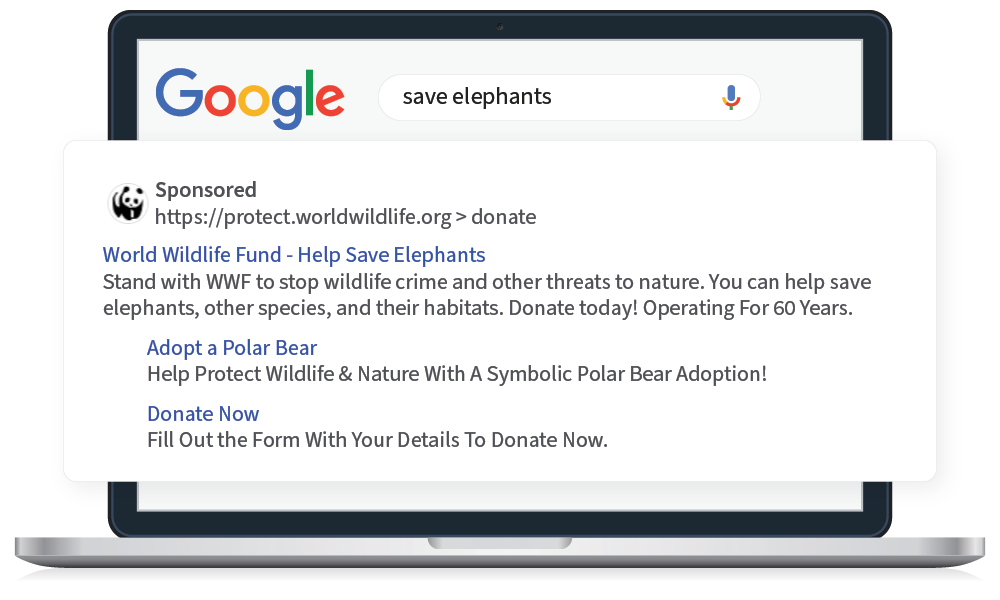
Unlike most nonprofit grant programs, all nonprofits that meet Google Ad Grants requirements can receive $10,000 per month—there is no limit to the number of nonprofits that can participate. There’s no need to re-apply either. As long as you comply with the Google Ad Grant requirements, you’ll continue receiving the funds each month.
How do search ads differ from organic results?
When you conduct a Google search, you’ll notice the search results page (SERP) is comprised of paid ads and organic results like this:
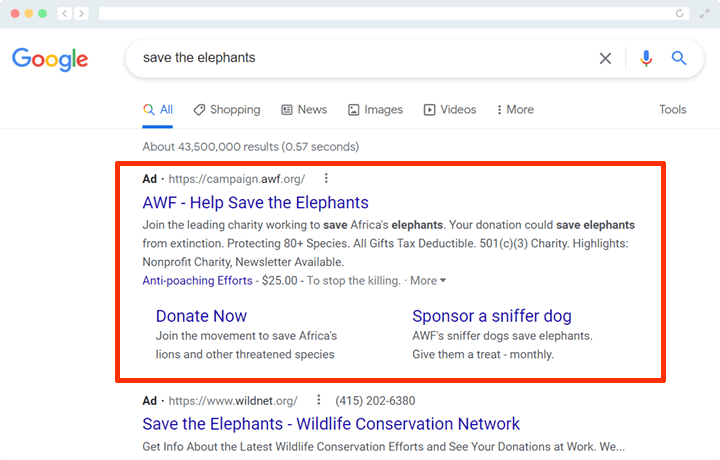
To rank organically, you’ll need to optimize your site’s content based on search engine optimization (SEO) best practices, such as effective keyword usage and user-friendly content.
Here are the key differences between paid and organic results that your nonprofit should know:
- Placement: Search ads appear at the top or bottom of the SERP. Organic results are unpaid listings that appear based on the search engine’s ranking algorithm, typically below search ads.
- Cost: Advertisers pay for each click on their ads, and costs vary based on factors like competition for keywords. There is no direct cost associated with organic listings aside from investing in SEO efforts.
- Appearance: Google Ads are marked with a “Sponsored” label and include extensions to display phone numbers, additional landing pages, or extra text. Organic results display the page title, URL, and meta description and don’t include extra features seen in ads.
- Speed of Results: Ads can immediately rank as soon as the campaign is launched. Achieving high organic rankings takes time and consistent effort, often months before seeing significant results.
- Targeting: Advertisers have precise control over who sees their ads. They can target specific demographics, locations, devices, and time of day. Organic rankings are determined by the search engine’s algorithm, which considers factors like relevance, authority, and user experience. There’s no direct control over who sees the results.
Both strategies have their advantages. While SEO builds long-term visibility in organic search results, Google Ads provide immediate, targeted exposure to boost campaign reach and drive quick action. A marketing strategy that combines paid and organic search will help you take up more real estate on SERPs for important keywords.
Why should I check my nonprofit’s Google Ad Grants eligibility?
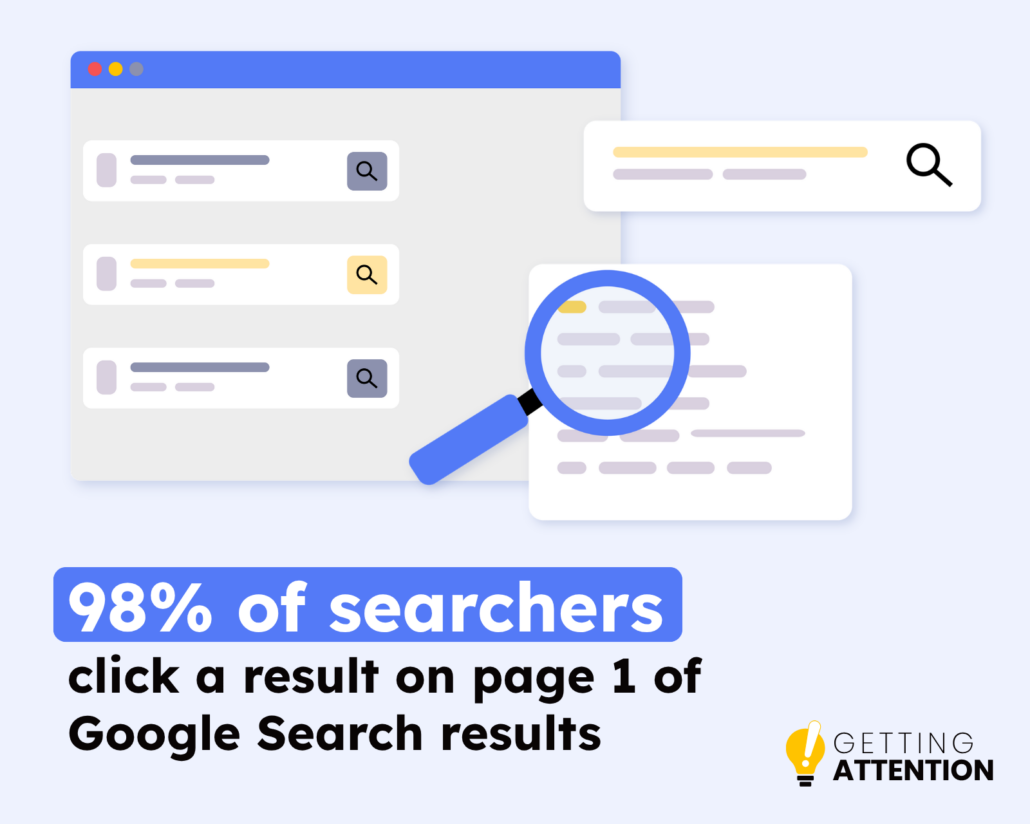
Unlocking free nonprofit advertising on the world’s most popular search engine can transform your online reach. 98% of searchers click on a result from page one Google Ads places your most valuable content front and center for high-intent keywords.
Verifying your Google Ad Grant eligibility unlocks major benefits, enabling you to:
- Expand search visibility and attract target audiences online
- Drive high-intent traffic to key pages on your nonprofit’s website, such as donation and volunteer portals
- Leverage built-in analytics to monitor and optimize campaign performance
- Launch and manage multiple targeted search campaigns simultaneously
- Boost key conversions like online donations, event sign-ups, volunteer recruitment, email subscriptions, and advocacy actions
These benefits drive more awareness for your nonprofit and, consequently, help achieve your conversion goals. All you have to do is confirm your Ad Grant eligibility, apply for the program, and start creating your ad campaigns.
Why are there Google Ad Grants requirements?
Like most corporate philanthropy programs, Google established eligibility rules and ongoing Ad Grant restrictions to maintain a high-quality search ecosystem. These guidelines protect user trust and ensure that ad credits go to legitimate, active organizations.
Specifically, these requirements help ensure that:
- Searchers connect with verified causes: Clear eligibility criteria confirm that participating organizations are legitimate nonprofits, ensuring users reach trustworthy resources.
- User data remains secure: Security standards encourage websites to maintain sufficient security measures, safeguarding personal details provided by donors and volunteers.
- Visitors have a positive experience: Website standards encourage organizations to share valuable, high-quality content that meaningfully engages searchers.
By setting clear expectations up front, Google maintains a reliable platform that continues to deliver long-term value to nonprofits and the communities they serve.
Which nonprofits are eligible for Google Grants?
Fortunately, Google is very straightforward in its eligibility standards. The program is available in over 65 countries, and while the exact Google Ad Grants requirements vary from country to country, they generally follow the same structure.
Here’s a checklist to walk through to confirm your eligibility:
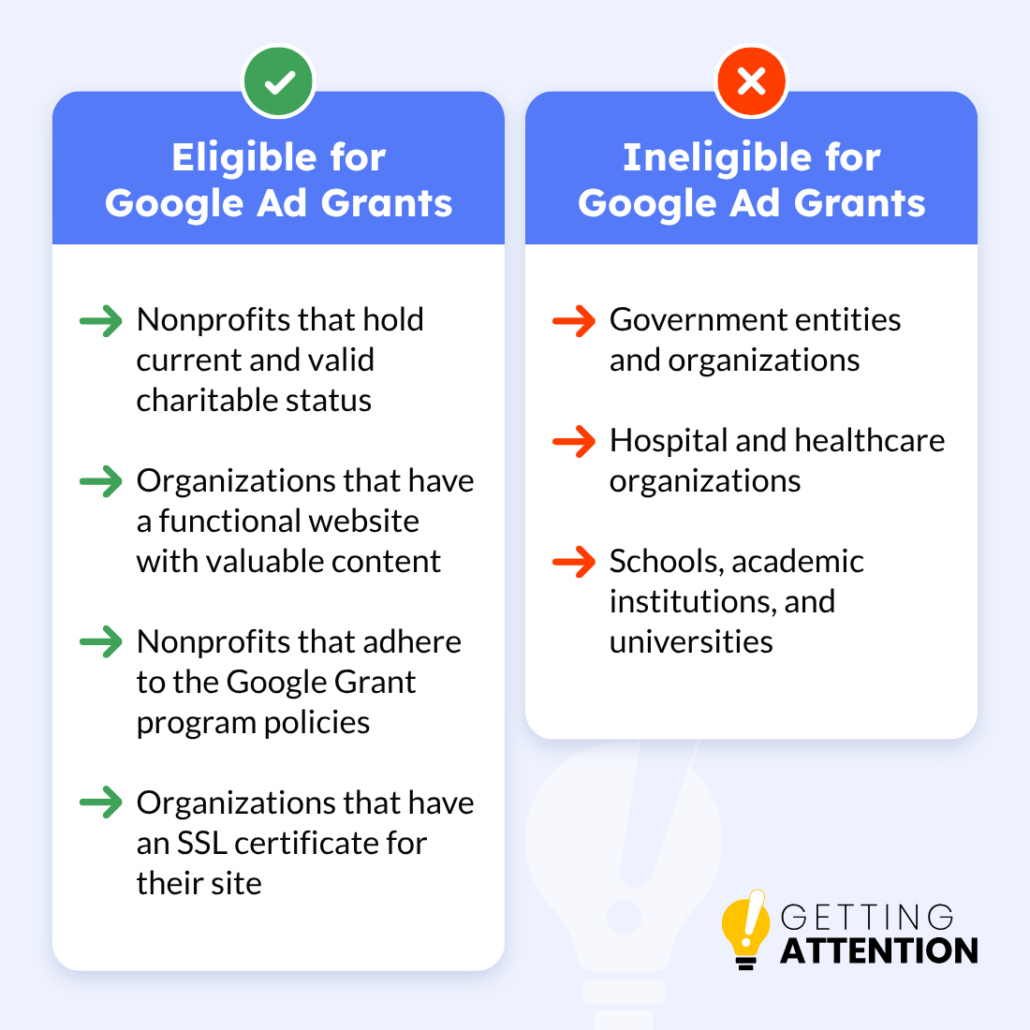
To qualify for the program, your nonprofit must:
- Currently hold valid charity status in your country. In the U.S., that means being registered as a 501(c)(3) organization with the IRS.
- Be registered with Google for Nonprofits. If you’re not already registered, we’ll explain this process later.
- Agree to the application’s required certifications regarding nondiscrimination and donation receipt and use.
- Comply with Google’s website policy by having a functioning website with substantial, valuable content.
To help you better understand these requirements, let’s discuss the main criteria Google will look at when determining a nonprofit’s Google Grants eligibility.
Requirement 1) Type of Nonprofit Organization
In the U.S., only 501(c)(3) nonprofits can receive ad funding through the Google Grants program. 501(c)(3) means that the Internal Revenue Service (IRS) recognizes the nonprofit as an official charitable organization and thus exempts it from federal tax obligations.
The Google Grants program factors in a nonprofit’s specific industry as well. Note that these three sectors are ineligible to participate:
- Government-affiliated organizations and entities
- Hospitals and other healthcare organizations (charitable arms or foundations associated with healthcare organizations are eligible)
- Schools, academic institutions, and universities (philanthropic arms of educational organizations are eligible)
Note that these eligibility requirements are specific to Google Ad Grants. Google offers other programs, such as Google for Education, that organizations can take part in.
Requirement 2) Website Quality
According to the official website policy for Google Ad Grants, Google also evaluates a nonprofit’s website to determine its eligibility for the program. Since ads purchased via Google Grants will direct search engine users to a nonprofit’s website, Google wants to be sure that the content is both valuable and fulfills users’ search intent.
When assessing a website, Google looks for:
- Website ownership. Your nonprofit must own the domain that users are directed to when clicking on your Google Ad. You can purchase a domain through a registrar like GoDaddy or Cloudflare.
- Clear and detailed descriptions of your organization’s mission and activities. Your website should have updated, high-quality content with essential information about your nonprofit. For instance, post an “About” page, feature a page with board or staff members, and include your EIN in your footer.
- Unique content. Your site should feature content that is exclusive to your nonprofit and not found elsewhere on the internet.
- No broken links. Broken links no longer lead to their intended destinations. Instead, they send users to a 404 error page. Be sure to frequently check your links and update them as necessary, such as by implementing a redirect to a relevant piece of content.
- A quick load time. There are many ways to optimize your website’s load time. For instance, keep your site running quickly by using smaller, compressed images as opposed to oversized ones.
- HTTPS security. An HTTPS-secured website is encrypted, offering users greater protection and privacy during their browsing. You can purchase an SSL from a Certificate Authority like Symantec or Comodo.
- Noncommercial activity. Commercial activity, such as product sales or consultation offers, should not be the sole purpose of your website. If any commercial content appears on your website, you must clearly describe how it supports your mission. In certain cases, you must include an annual report detailing how your organization used commercially obtained funds.
- Limited advertisements. All ads on your website must be relevant to your mission and unobtrusive to site visitors.
In short, your website needs to be a high-quality destination for search engine users. While all of these Google Grants requirements for your website might seem rigorous, a well-maintained website will already meet many of these qualifications without requiring substantial changes. Plus, following these regulations ensures you’re also complying with many 501(c)(3) website legal requirements.
Requirement 3) Compliance With Program Policies
To be eligible for Google Ad Grants, your nonprofit must comply with various program policies set forth by Google. This includes following the Google Ad Grants terms and conditions, standard Google Ads policies, Google’s general terms and conditions, and account management policies. Some of these policies enforce:
- Not using ads, keywords, or landing page destinations that promote hatred, intolerance, discrimination, or violence.
- Not abusing the ad network. In other words, you cannot run ads, content, or destinations that attempt to trick the ad review processes.
- Ensuring that any collected data, such as full names, email addresses, mailing addresses, phone numbers, sexual orientation, and race or ethnicity, is handled with the utmost care and respect for privacy.
If you’re still unsure if your nonprofit qualifies for the Google Grants program, reach out to our team to verify your eligibility and keep your account in compliance. As we’ll explore later, Google Ad Grants experts (like our team at Getting Attention) are dedicated to learning and staying informed on Google Grants eligibility and compliance rules, allowing you to devote your time to other priorities.
Takeaway: Meeting the Google Ad Grant eligibility rules takes a bit of upfront work, but unlocking $10,000 in monthly ad credits is a game-changer. Take the time to verify your nonprofit’s status today—it is one of the most powerful steps you can take to expand your reach and amplify your mission online!
How do I verify my nonprofit’s Google Grants eligibility?
Once you’ve determined your nonprofit’s Google Grants eligibility, it’s time to start the verification process. This is where you’ll actually fill out the program’s application.
Luckily, the application process is the easiest part of managing your Google Grant account. So long as you’ve got everything squared away with your eligibility, you can start the process as soon as you’re ready. Here are three easy steps you’ll need to follow:
- Sign up for a Google for Nonprofits account. Before you apply, your nonprofit needs to create a Google for Nonprofits account, which involves providing your tax identification number, nondiscrimination policies, and general contact and organization information. This account offers many tools your nonprofit can take advantage of, like Google Workspace and the YouTube Nonprofit Program. Account approval could take several days, so get started as soon as possible.
- Wait for verification from Goodstack. This is Google’s verification partner who will validate your 501(c)(3) status for Google. When you apply for Google for Nonprofits, your information will be forwarded for review. Keep an eye on your email in case Goodstack requests any additional information or documentation.
- Apply for the Google Grant. Once your Google for Nonprofits account is activated, you can access the Google Ad Grant application. Within your account, click “Get started” under Google Ad Grants, submit your website’s URL for security verification, watch the welcome video, click the checkbox to confirm you’ve done so, and submit your activation request. Google will email you an invitation when your application is approved in about 3 business days.
Since Google manually reviews applications, it’s best to start sooner rather than later. Once you’ve been approved, you can create your Google Ads account and configure your campaigns to best suit your goals.
If this process seems a bit intensive, consider turning to professional assistance. Getting Attention specializes in helping nonprofits apply for Google Ad Grants, so reach out for a free consultation! We’ll confirm your Google Grants eligibility, so you can start promoting your nonprofit.
Can my nonprofit lose its Google Ad Grant eligibility status?
Yes, you can lose your Google Ad Grant eligibility if you fall out of compliance with the Ad Grant program’s policies! Rather than viewing compliance as a one-time hurdle, think of it as an ongoing management practice that keeps your account active and delivers long-term value. Following these key best practices will keep your campaigns running smoothly:
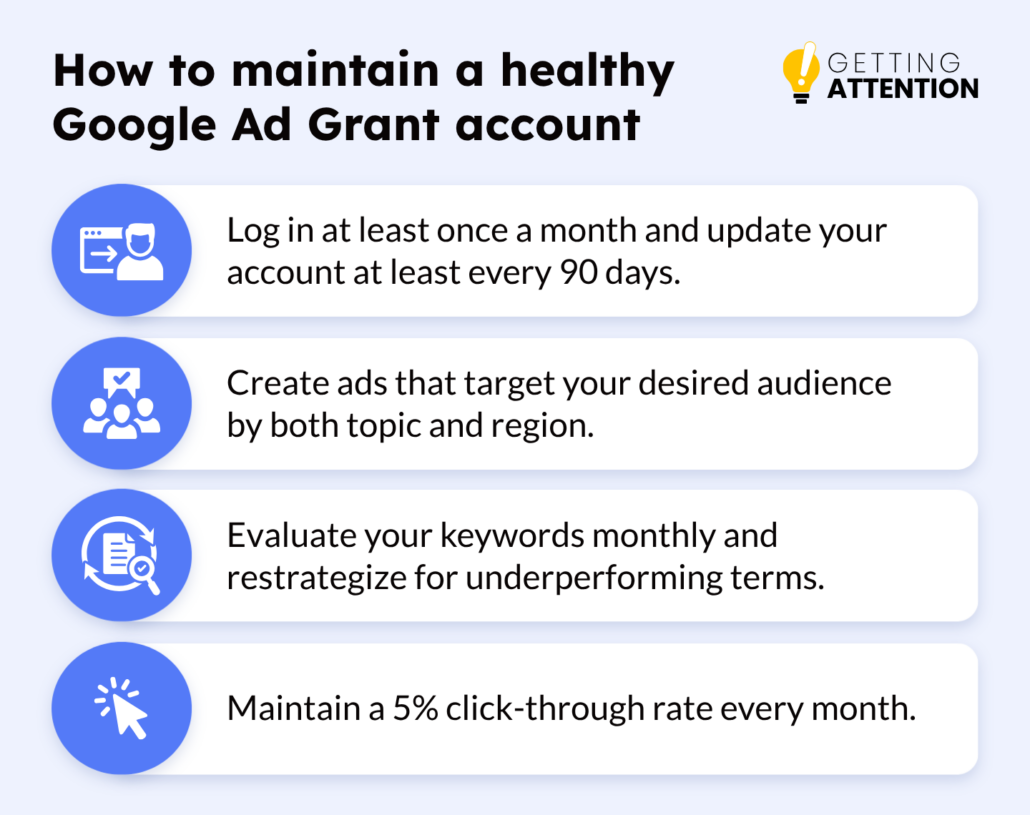
- Maintain an active account. Log in regularly to monitor campaign progress, adjust campaign budgets, and refresh your ad copy based on performance data.
- Tailor your ads to your audience. Align your messaging with targeted search intent and geographic parameters to connect with the users you want to reach.
- Evaluate your keywords monthly. Review your nonprofit’s keywords regularly to refine your target phrases, removing single-word keywords, generic terms, or any keywords with low Quality Scores (1 or 2).
- Maintain a 5% click-through rate (CTR) and drive meaningful conversions. Track your CTR via Google Analytics to stay above the 5% monthly threshold, and monitor at least one meaningful conversion goal, such as donations or volunteer sign-ups.
As with the eligibility guidelines, Google established these compliance standards to improve search quality and ensure your ad credits support meaningful user engagements. By proactively managing these requirements, you create a more effective advertising strategy that consistently connects your mission with the supporters you need.
Google also provides several tools and resources to help you maintain active compliance. For instance, learning how to improve your CTR allows you to optimize your keyword targeting and boost your campaign metrics.
What do I do if I lose my eligibility?
If you lose your Google Grant due to simple inactivity or accidentally falling out of compliance, there’s no need to stress. Google has a clear process for requesting account reactivation, and they will often indicate exactly where you fell short of the requirements.
Start by reviewing any communications from Google or checking your Google Ads account to understand why you were considered noncompliant. Once you identify the reason, take corrective actions. You may need to adjust your ad copy, keywords, landing pages, or account settings to align with Google Ad Grants policies. After resolving the issues, you can apply for reinstatement by contacting Google Ad Grants support.
If you need extra support, a Google Ad Grant consultant like Getting Attention can guide you through the reactivation process and ensure you don’t lose your Grant again in the future.
Are there experts who can verify my Google Grants eligibility?
When you’re ready to tackle your Google Ad Grant needs, you might be tempted to reach out to a traditional marketing agency. But keep in mind that the Google Ad Grant program is quite different from standard Google Ads. That’s why you’ll want to partner with Google-certified agencies that specialize in Ad Grants to ensure you’re getting the right support.
Getting Attention is an official Google Partner, which means Google recognizes the quality of our services. We’re ready to guide you through every step of your nonprofit’s journey. Here’s how we can help you make the most of your program:
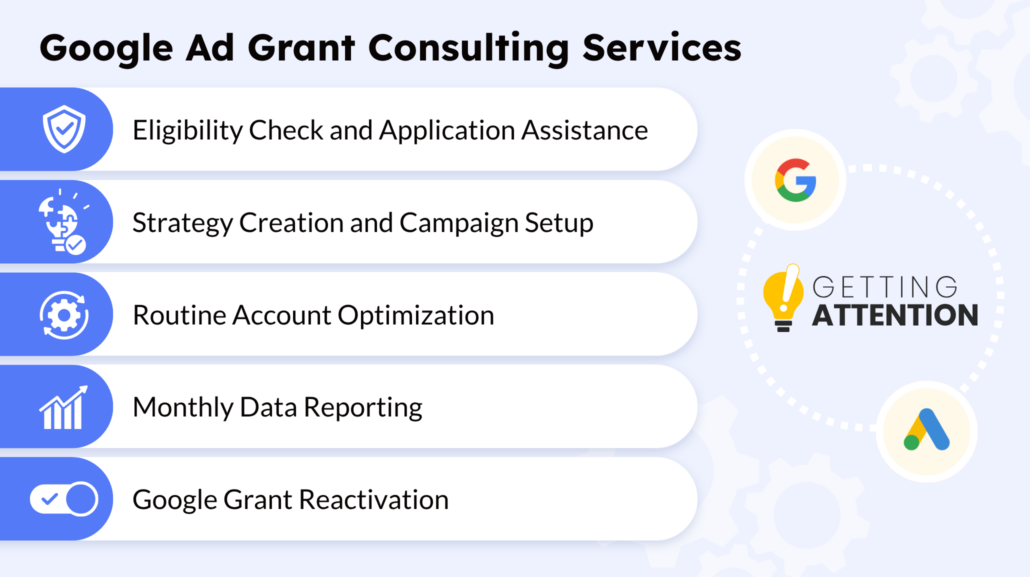
- Google Grant Application: Our experts can confidently walk you through your application with a high success rate for acceptance. We’ll check your Google Ad Grant eligibility and explain all of the essential steps so your account gets approved on the first try!
- Strategy Creation and Campaign Setup: Our team will create ads that target the right keywords, communicate your mission effectively, and support your nonprofit’s goals.
- Routine Account Optimization: While you focus on your nonprofit’s mission, we’ll refine your keyword lists, adjust bid strategies, tweak ad copy, and ensure compliance with Google’s rules. We’ll keep a close eye on performance data and conduct tests to determine which ads inspire conversions.
- Monthly Data Reporting: We’ll keep you in the loop with transparent reports covering metrics such as click-through rates, clicks, conversions, and ad spend.
- Google Grant Reactivation: If your account is ever suspended, we can help get it back up and running in no time.
Our goal is to drive meaningful actions for your cause and expand your online presence. If you’re interested in learning more, we’re happy to chat. Request a free consultation today, so we can start shaping your Google Ad Grant strategy!
Can I set up the Google Ad Grant and run it myself?
You certainly can set up and run the Google Ad Grant yourself, but you may find it more effective to work with a dedicated Google Grants manager. While you can confirm your eligibility and create your own ads, the program involves a steep learning curve, and there’s a lot to master to ensure your ads are effective.
An expert can guide you through the process, offering the exact level of support you need—and freeing you up to focus your time on the hundred other things on your plate.
Once I’m verified, how can I make the most of Google Grants?
Getting approved for the Google Ad Grant program is just the first step. To get the most value from your $10,000 monthly credit, follow these strategies:
- Optimize your ads’ landing pages. The pages that you direct traffic to via your Google Ads will drive more conversions if they align with digital marketing best practices. First, include your chosen keyword and variations throughout the page’s copy to signal that the ad and the page have the same intent. Then create compelling calls to action that encourage users to take the next step and convert. Finally, fix any user experience issues, such as a poor mobile experience, by implementing responsive design elements.
- A/B test your ads. The best way to determine which advertising approach works best for your audience is to experiment with different strategies. Take a few distinct approaches to your ad copy and test them with your audience. Then, gauge which approach yields the best results based on your chosen key performance indicators (KPIs). For inspiration, check out our list of nonprofit advertising examples.
- Use ad assets. Google Ads offers sitelink assets, which allow you to advertise important links with your ad alongside the primary landing page. Add additional links to a contact page, about page, or opportunities where users can learn more about your nonprofit and get involved. Explore different assets you can use, such as call extensions to add your phone number and callouts to add extra text to your ads, helping them be more eye-catching.
Following these tips will help you transform a good Google Ad Grant campaign into an amazing one! Just ensure that you stay on top of your ads’ performance so you can continually improve your approach.
Next Step: Confirm your Google Grants eligibility
You now have a clear roadmap for meeting the Google Ad Grant’s eligibility requirements, from optimizing your website to partnering with experts. You are ready to assess your nonprofit’s eligibility and begin your application.
Remember, verification is just your starting point. Managing a successful Google Ad Grants account requires ongoing compliance and optimization to reach the supporters who matter most.
Ready to take the next step? Explore these resources to sharpen your marketing and achieve your mission goals:
- How to Optimize A Google Grant Account: Top Tips & Mistakes. Once you’ve gained access to the program, use these tips to configure powerful campaigns!
- Google Grants Agency: How To Hire an Expert & Our 5 Choices. If you’re considering a professional to verify your eligibility and manage your account, check out this guide from re:Charity.
- Are Google Ad Grants Confusing You? Become an Expert Now! There’s certainly a lot you need to know to leverage Google Ad Grants effectively. If you’re looking to understand more about the program, this guide offers some helpful advice.
- The Ultimate Meta Ads Guide for Nonprofits: Want to expand your outreach even further? Pair your Google Ad Grant with Meta Ads! This guide walks you through the process from setting up your account to creating the ads themselves.